Find a provider without confusing the game versions
A provider label helps narrow the Zora catalogue, but it does not describe every game's mechanics. A studio may publish fixed-line fruit slots, cascading games and feature-heavy titles under the same name. Use the provider as a way to locate candidates, then compare the actual rules of each candidate.
Begin with the exact title when you already know a game. If the catalogue offers provider filters, combine the chosen studio with the relevant game category and inspect the resulting cards. Similar artwork is not sufficient identification: sequels, deluxe editions and remakes may have different grids and bonus systems. Copy the full displayed title, including any suffix, into your comparison notes.
For a small shortlist, record five things per title: reel layout, win-evaluation method, total stake control, principal feature and the information panel's stated RTP configuration when available. This produces a usable comparison across Amusnet, Pragmatic Play or another provider without asserting that all their games share a return rate or volatility level. An unavailable field should remain unconfirmed.
A search yielding no result can reflect spelling, an active filter, local availability or the account context. Clear filters and try the complete name before concluding that a game has been removed. The number of cards visible on one screen is not the size of the whole catalogue. For screenshots, include the title and provider label where possible so the image explains exactly which version is being discussed.
Search in an order that isolates the source of a mismatch
Begin with the full displayed title when it is known. Then remove an active collection or provider filter and repeat the search if nothing appears. A result visible only after clearing a filter explains the search issue without proving a change in catalogue availability. Check spelling and any edition suffix before shortening the query to a broad theme such as book or fruit.
If several similar cards remain, compare their full names and provider labels. Do not choose the closest artwork and silently treat it as the requested game. An original, sequel and special edition can share characters while differing in rules. Record which result you actually opened and which part of the requested name was not matched.
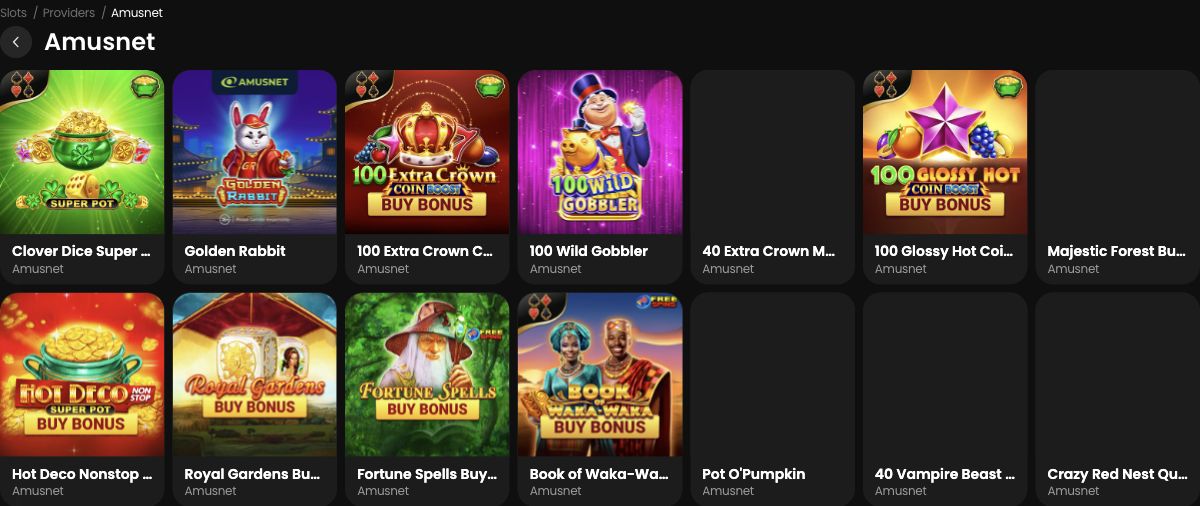
Use a shortlist to compare mechanics, not provider reputation
Create three candidate rows with fields for evaluation method, ordinary total stake, principal feature and source of the information. Leave an unconfirmed field blank or explicitly unknown. A provider logo does not establish a single RTP, volatility scale or feature-purchase policy across the row. The point of the filter is to find titles, after which each title needs its own reading.
For example, Shining Crown supplies a manufacturer-described fixed-line comparison, whereas the observed Sweet Bonanza demo illustrates a 6×5 symbol-count layout with tumbles. These examples explain contrasting mechanics; they do not imply that every title from either studio follows that design. A screenshot should identify the exact example rather than merely repeat the studio logo.
Keep availability claims narrower than search results
A visible card confirms that a listing was displayed in the observed context. A loaded demo confirms a further step. A paid account session would be a different observation, and should not be claimed when it did not occur. A search failure likewise does not by itself prove permanent removal: filters, spelling and access context can all affect what was seen.
Describe the actual outcome with its date and context. This makes the guide useful when the catalogue changes, because the search procedure remains clear even if a particular card moves. The number of cards on the first screen is not a measured catalogue total, and a popular collection position is not evidence of a game’s financial quality.